While teachers teach, AI watches outside the classroom
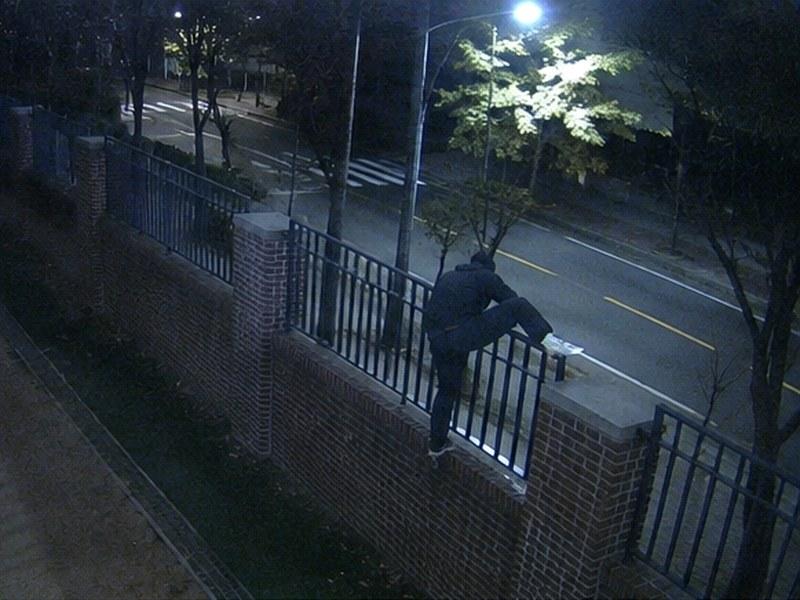
Using the school CCTV you already have, VUNex detects outsiders climbing the fence and falls in gyms and hallways, and alerts the teacher in charge on the Link app.
- No camera or recorder replacement
- Analysis and recording stay on the school network
- Free check before installation
 Outsider intrusion
373cases
Outsider intrusions at schools, first half of 2025
375cases
All of 2024 · 2025 reached the same level in half a year
3.3x
Rise from 113 cases in 2021 to 375 in 2024
Data on outsider intrusions at schools, obtained from education offices nationwide by the office of National Assembly member Jung Eul-ho (released September 2025) · 2025 figures through June
A day at school
Where to watch
changes with the timetable
During class, no one is free to watch the monitors in the teachers' office. Turn on only the detection each time slot and zone needs.
During class
Breaks · Lunch
After school · Night
The layout and zone names are examples for illustration. Detection zones and hours are set together with the school.
How we handle student video
We detect risks,
not watch students
 No alert
 Alert
Will everyday scenes trigger alerts too?
Alerts are sent only for the risk situations you define.
Does video leave the school?
Analysis and recording run on equipment on the school network. Event data and the related video clip are sent outside only when you use optional features.
Is it clear where and what is detected?
We share the detection items and zones for each area with the school before rollout.
Who can view the video?
Only designated authorized staff can export video. Operating procedures such as signage follow the school's own rules.
Optional features that require external transmission: Mobile alerts · Remote status management · AI scene-context review · Site-specific training
Alerts and response
Teachers stay in class,
alerts go to the person in charge
Instead of searching recordings after the fact, the person in charge knows the moment it happens.
- 01 Detect
The moment someone climbs the fence
AI detects anyone entering a set zone during set hours.
- 02 Alert
To the teacher's Link app
Alerts arrive at the same time as on the administration office screen. Warning lights and speakers can also sound if needed.
 Intrusion detectedBack gate fence · 22:14
 Link · now
- 03 RecordDone
Action history and reports
Who checked, when, and what action was taken is kept on record.
 Action log saved
Link app alerts and report sharing require an external internet connection. Warning lights and IP speakers require separate installation. App screens are examples.
Already in use
Proven first
at other sites
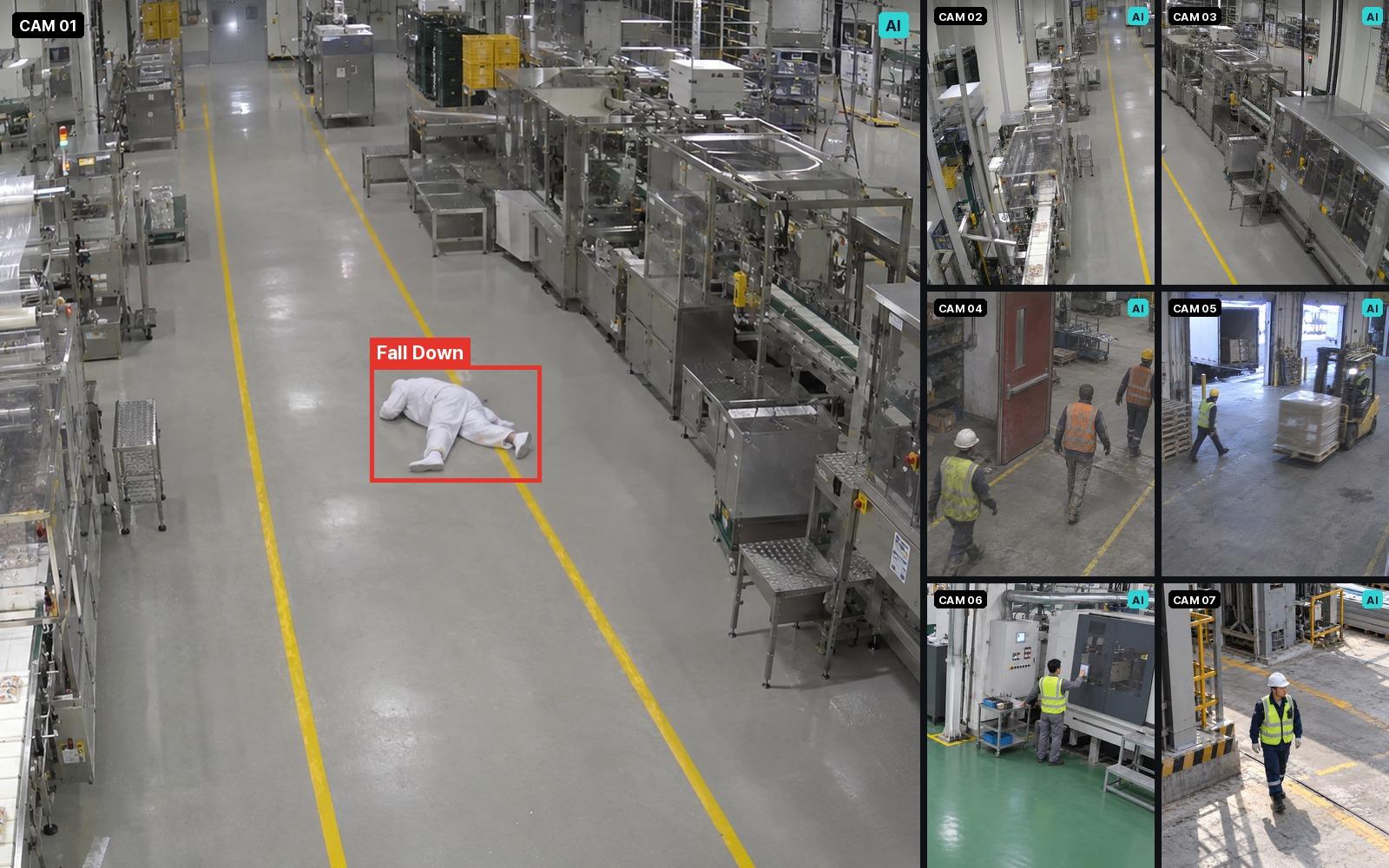
Food manufacturing plant
Expanded to every camera in the plant
See the factory case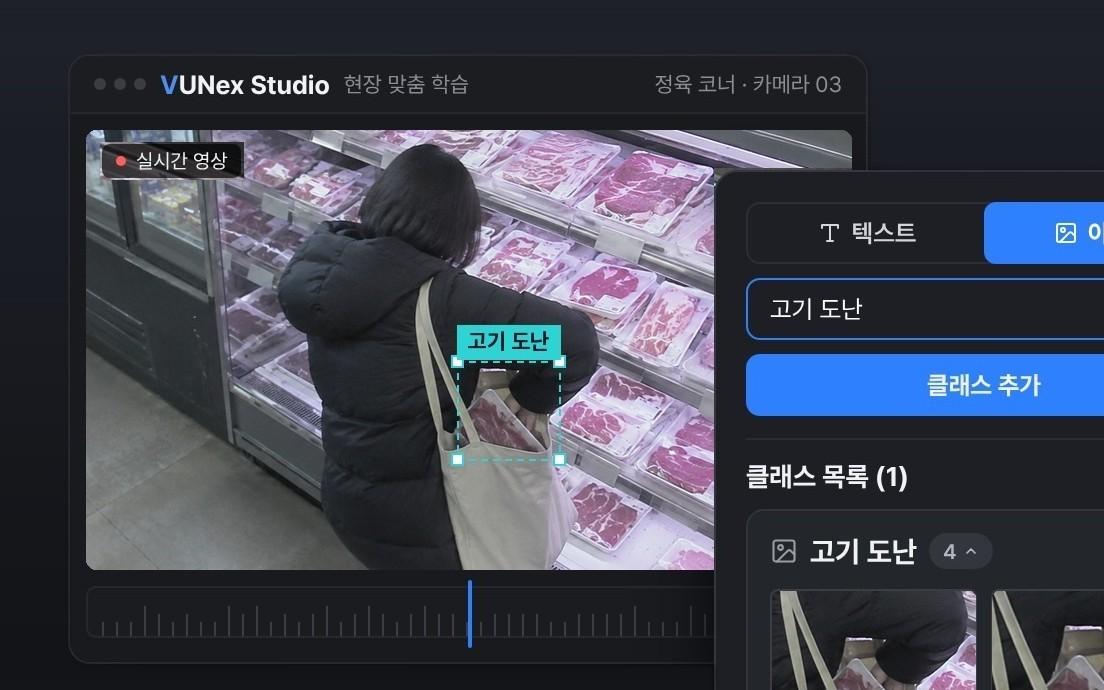
Local supermarket
Added meat theft detection
See the store case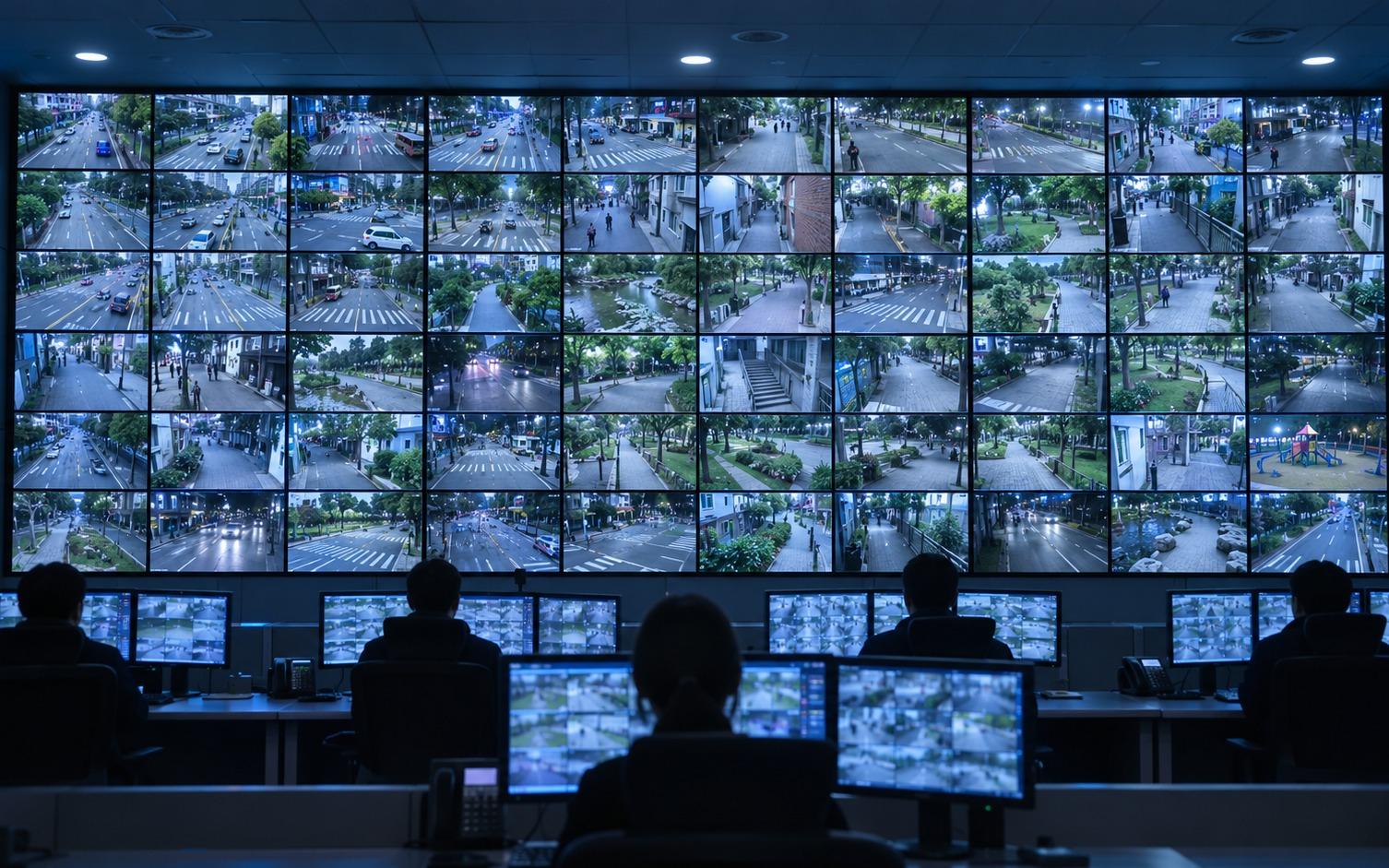
Local government monitoring centers
127 of 230 centers use our video monitoring
See public sector
127 centers: based on video monitoring solutions · Company names withheld at customers' request.
Free · 1 minute
Our school's
1-minute site check
Just pick your camera count and the risks you worry about, and we'll show a matching setup right away. You can then request a free site check for that setup.
How many cameras do you have?
- Free site checkCamera · Network check before rollout
- Existing equipment guaranteedEquipment that passes stays as is
- 1-month false alarm tuningIntensive tuning in the first month
- On-site trainingWe train your staff on site
School FAQ
Frequently asked
questions from schools
During the free site check we first review your cameras and network, and equipment that passes is integrated without replacement. RTSP cameras and the ONVIF standard are supported.
Zone and time conditions filter alerts first, and false alarms marked by staff feed into training. In the first month after rollout, we focus on tuning out false alarms.
We are preparing GS certification and registration with the Public Procurement Service (PPS). You can check progress on the public sector page, and contact us if you need specifications or technical documents.
You can check event status and reports for each school remotely. Remote status management requires an external internet connection.
We quote based on camera count and configuration. Since you keep your existing cameras and recorders, there is no replacement cost.
Our own call center responds remotely first, 24 hours a day, 365 days a year (1661-6806), and a dedicated regional manager looks after each site. If needed, our customer support and development teams visit the site to fix the issue.
We'll check your school's cameras
and network first, for free
It's not too late to decide after you see the results.