
VUNex ONE
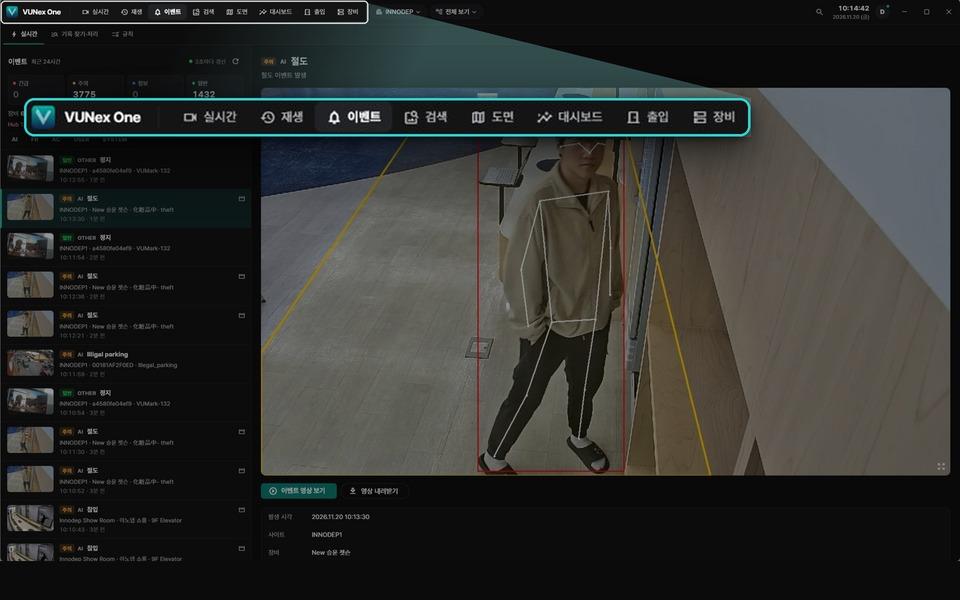
Use live video, playback, events, dashboards, and device management in one program on the monitoring PC. The first screen loads faster than on the web.
VUNex CMS is an integrated monitoring system that manages VUNex AI · VMS across multiple sites in one place. The monitoring PC software, web, and mobile app all view the same sites.
 Mobile · Link
Monitoring room PC
Live video from multiple sites
on one monitoring PC screen
Web browser
Log in with no install
to see device status and events
Mobile
Away from your desk,
from alerts to action records
Components
Group the VUNex AI · VMS at each site into one. Only the screen changes to suit where you work; the sites and alerts are the same.
Use live video, playback, events, dashboards, and device management in one program on the monitoring PC. The first screen loads faster than on the web.
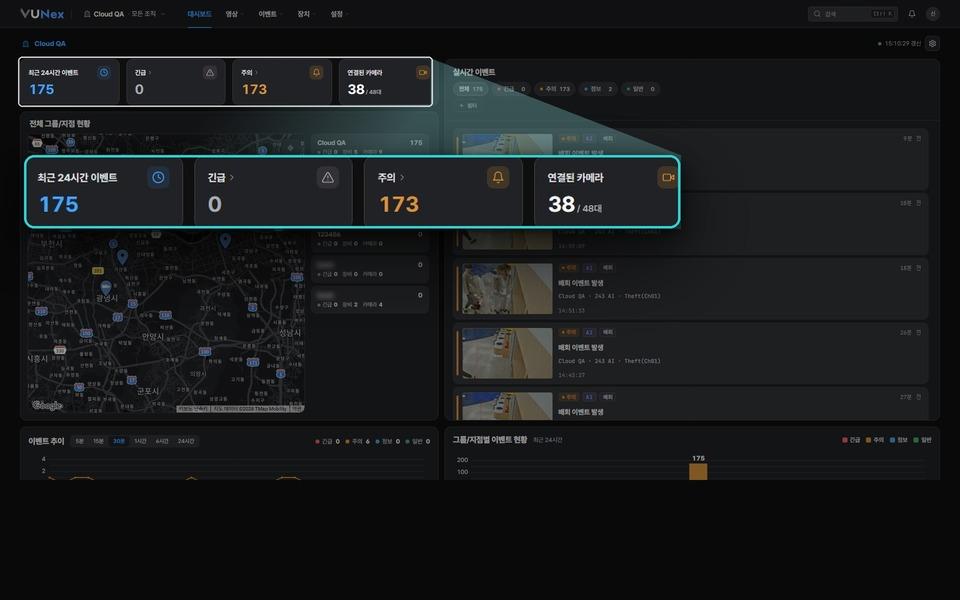
Log in with no install to see device status and event alerts from multiple sites together. Offered as a subscription service.
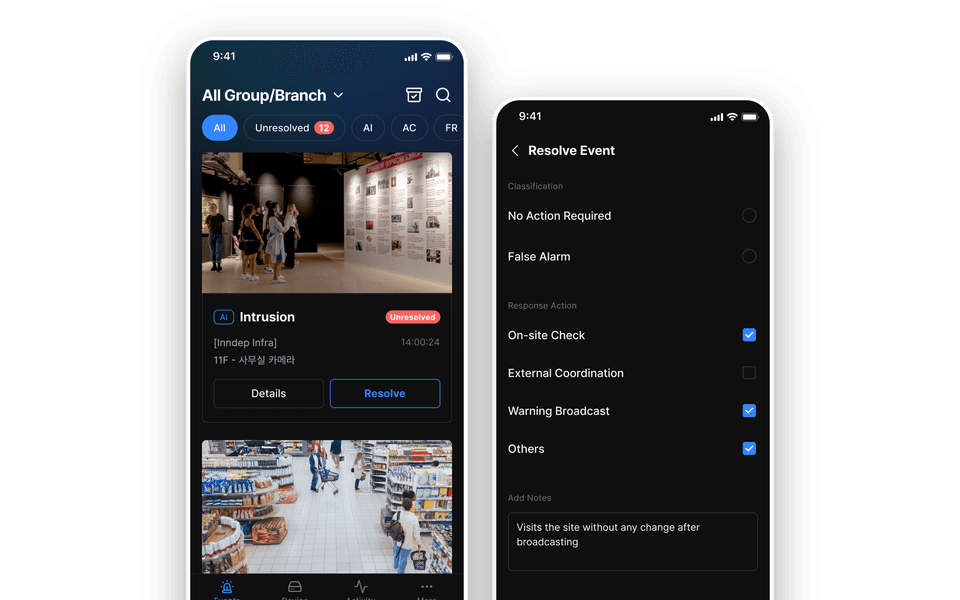
Receive detection alerts, check site photos and before-and-after video, and record actions taken.
VUNex ONE shows actual product screens; Cloud · Link show screens in development and sample screens.
Monitoring room tasks
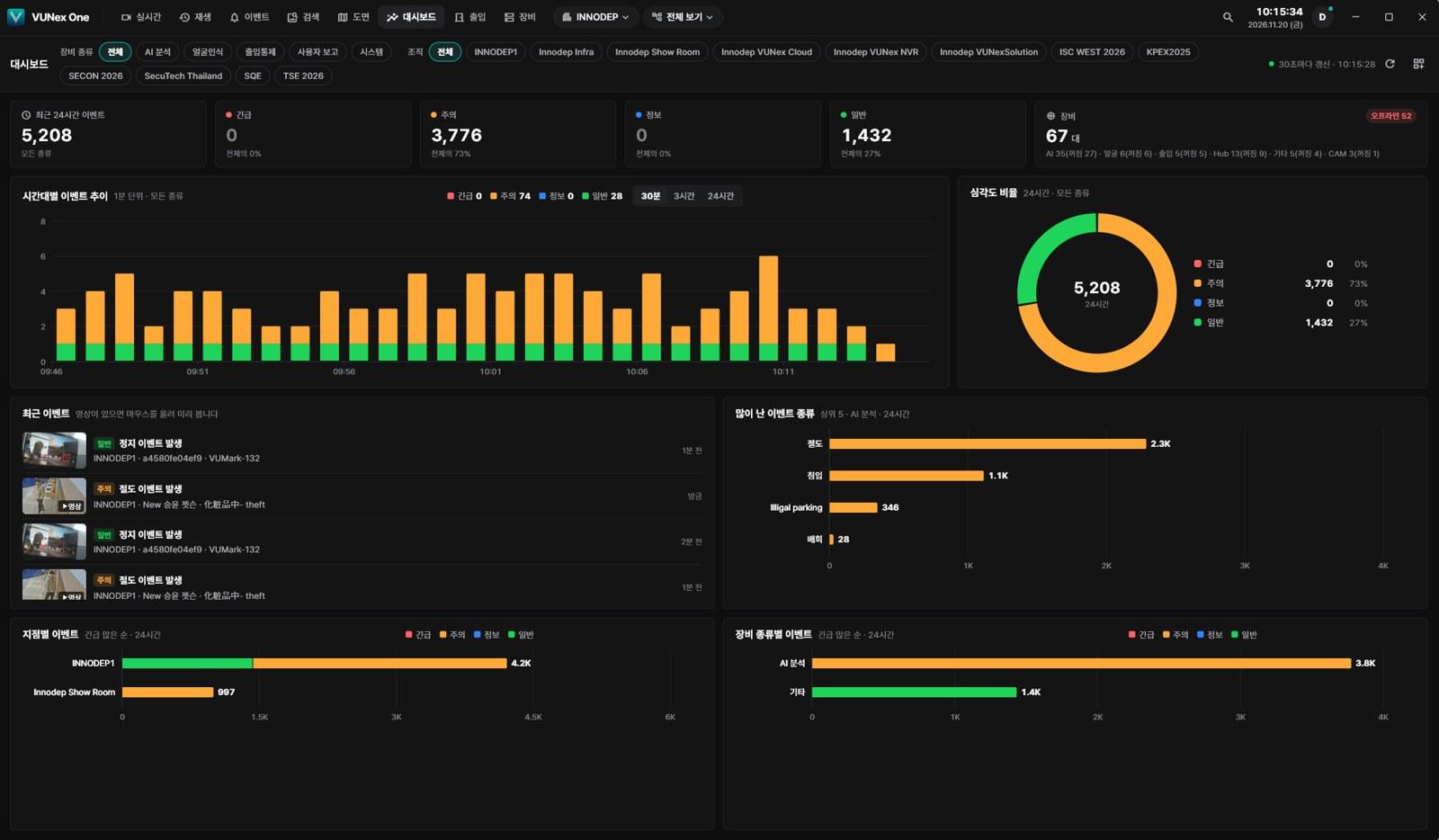
With VUNex CMS's monitoring PC software VUNex ONE, handle everything from live video to event handling, dashboards, and device management just by switching menus.
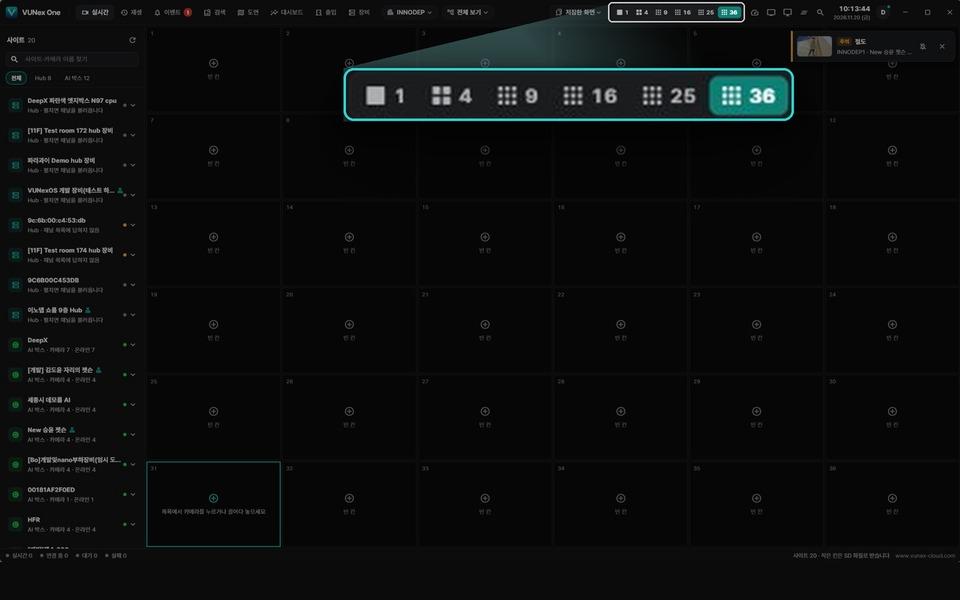
Arrange cameras in 1 · 4 · 9 · 16 · 25 · 36-split layouts.
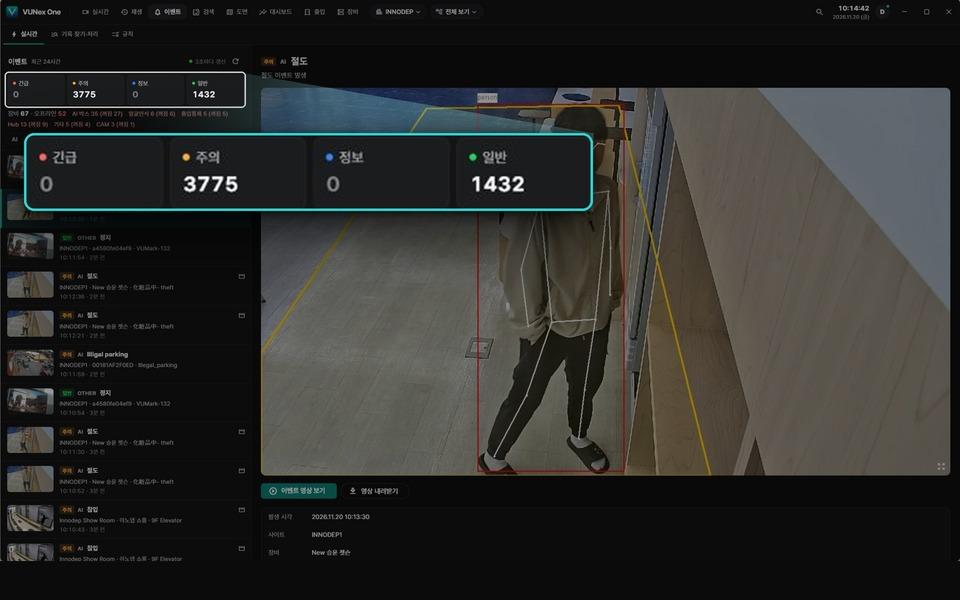
View by critical · warning · info · general, and check video right away.
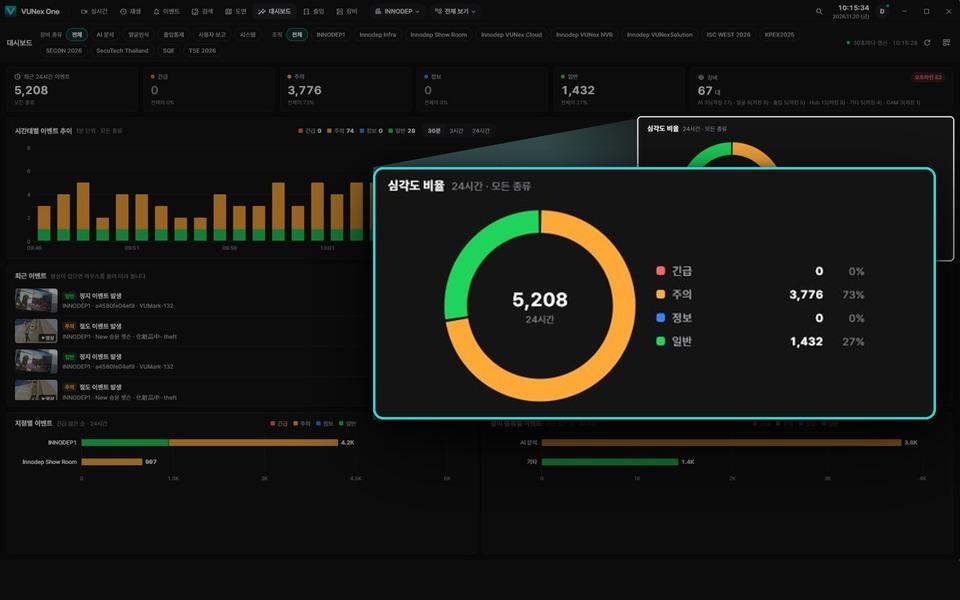
See trends by time and events by site · device at a glance.
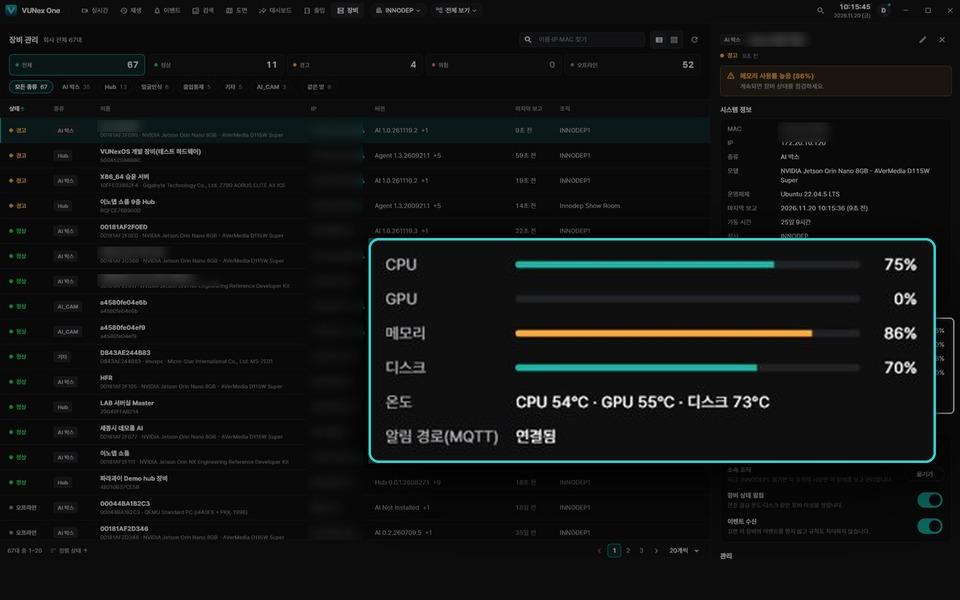
Check on-site device status and resources and set alerts.
Actual VUNex ONE product screens. Figures and device names on screen are for demonstration. Other menus include playback · search · floor plan · access.
Specs
Recommended PC specs and the number of connectable sites will be listed once confirmed. Detailed configuration depends on the site check results.
VUNex CMS FAQ
They are three screens showing the same sites and alerts. Use the PC software to display live video from multiple sites in the monitoring room, the web to check device status and events from the office or on the go, and the mobile app for site staff to receive alerts and take action.
As dedicated software installed on the monitoring PC, it is faster and more stable than the web when displaying live video from multiple sites for long periods. Live view, events, dashboards, and device management are all in one program.
Yes. VUNex ONE is installed on the monitoring PC, and web monitoring is offered on-premises, installed on your servers. Features that need an external connection, such as mobile alerts, are decided together during the site check to fit your site environment.
The web and mobile app are in operation, and the monitoring PC software is preparing for official release. We will share the schedule once confirmed.
Subscription plans for the web · mobile app (VUNex Cloud) are in preparation. On-premises and PC software are quoted based on site size and configuration.
We check the existing cameras and network at each site for free first.