 CriticalFire detected
Hot equipment · Storage areas
Flames and smoke, before they spread
Zones where sparks are normal, like welding, are excluded
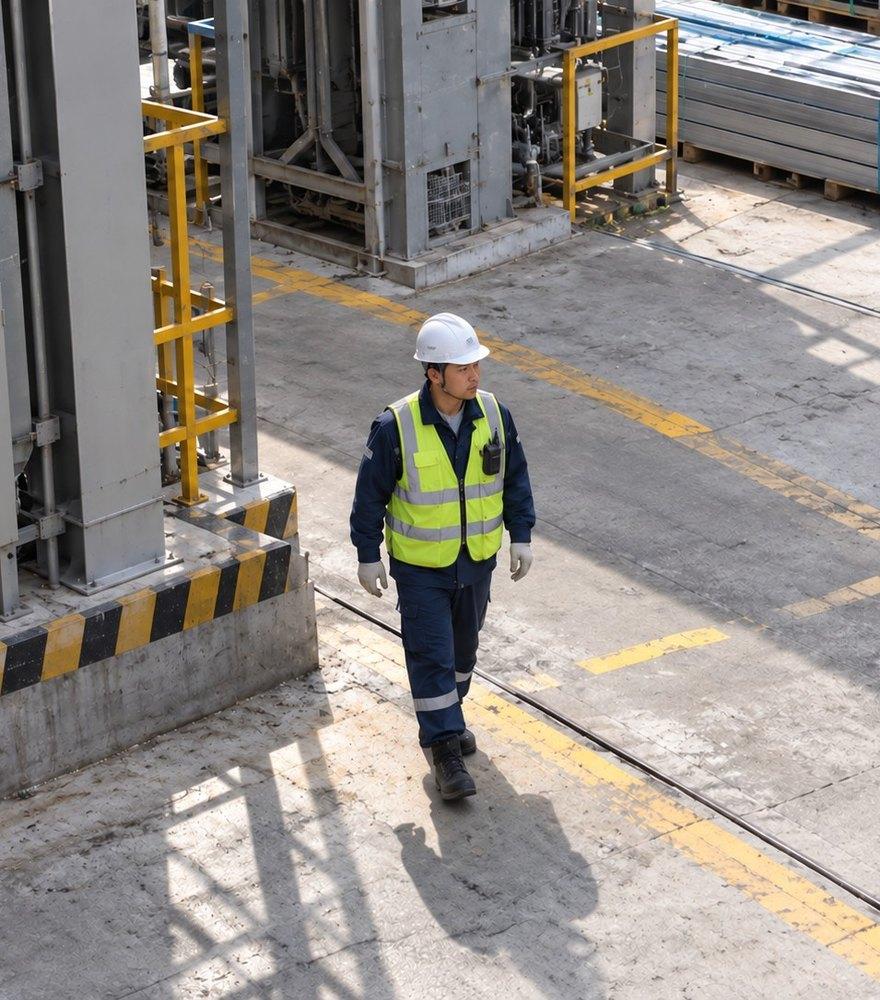
Keep your existing CCTV. AI watches 24/7 for fire, missing hard hats, falls, and other risks that lead to serious accidents.
 Just now
872 deaths
Workplace accident deaths per year · Up 45 from the year before
3,502 fires
Factory and warehouse fires per year on average · 2021–2025
69.1%
Share of building fire property damage from factories and warehouses
872: Ministry of Employment and Labor, 2025 accident deaths based on approved survivor benefits (released March 2026, all industries) · 3,502 · 69.1%: National Fire Agency, National Fire Information System 2021–2025 statistics (analysis by the office of Rep. Heo Young, National Assembly Land, Infrastructure and Transport Committee, reported 2026) · Factory and warehouse fire property damage approx. KRW 3.2004 trillion
Detection by zone
Turn on only the detection each zone needs.
CriticalFire detectedHot equipment · Storage areas
Zones where sparks are normal, like welding, are excluded
 CautionPerson near forklift
Logistics centers · Shipping docks
Identifies special vehicles and speeding
 WarningNo hard hat
Work area entrances
Logs hard hat and safety vest use every day
 CriticalFall detected
Night · Unstaffed areas, equipment rooms
Also covers restricted areas and night intrusion
Response and records
Action records that used to be written up by hand after an incident are collected in the system history, easing the safety manager's reporting load.
If needed, on-site beacons and speakers can warn people right away.
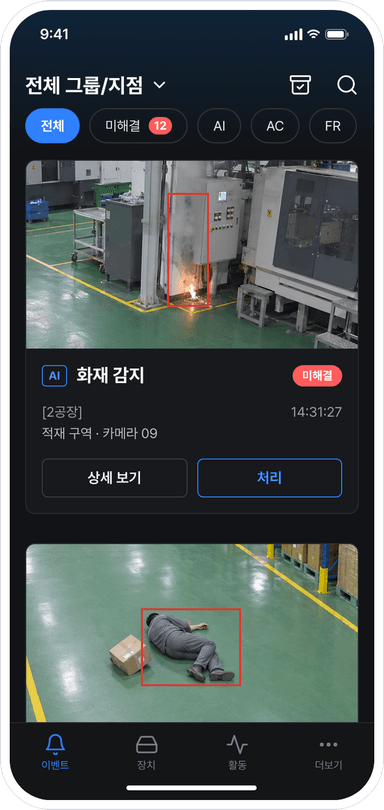 Link · now
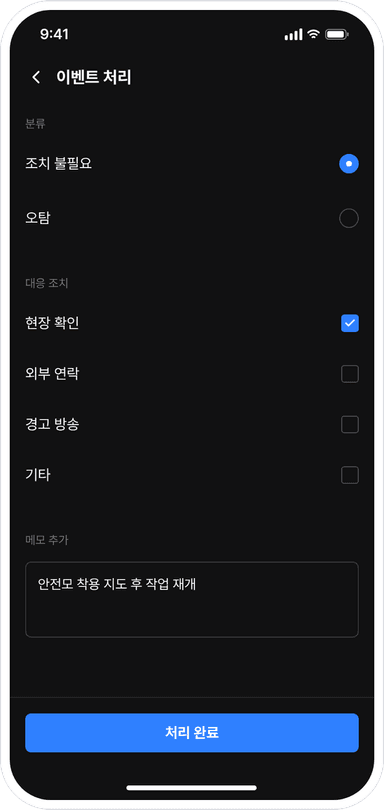
Pick an action and leave a note. Verdicts are used to learn from false alarms.
Share reports that include actions taken and voice memos.
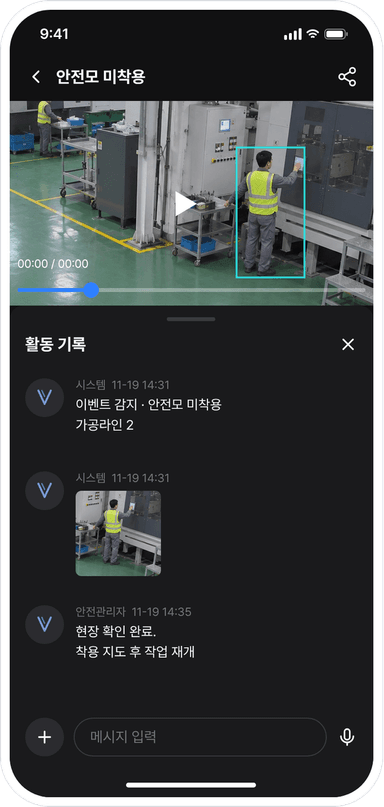
Beacons and IP speakers are installed separately. Link app alerts and report sharing require an internet connection. App screens are examples.
Verdicts feed false-alarm learningFalse alarm filtering
Welding sparks, equipment lights, monitor screens: factories are full of things that look like fire.
Zones where flames are normal are left out of fire detection.
Light without signs of smoke or a heat source isn't treated as fire. Optional.
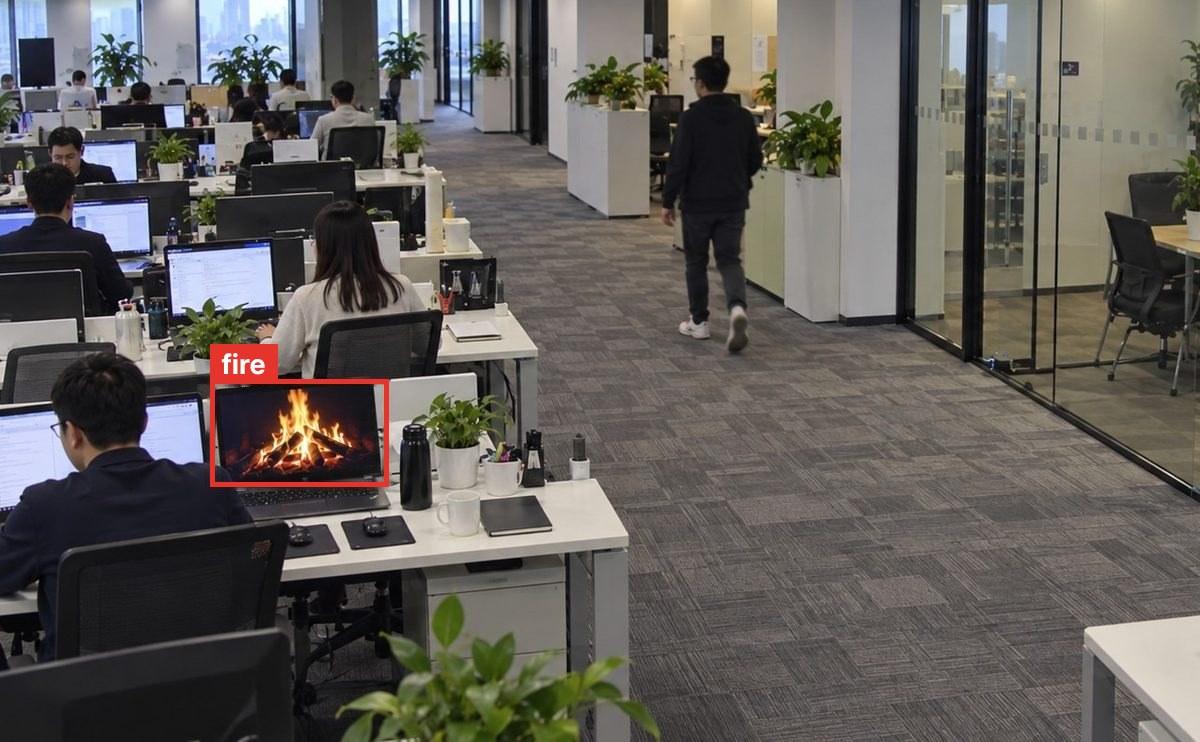
Not a fire · No alert sent
Managers' verdicts feed the learning, and false alarms get focused tuning in the first month.
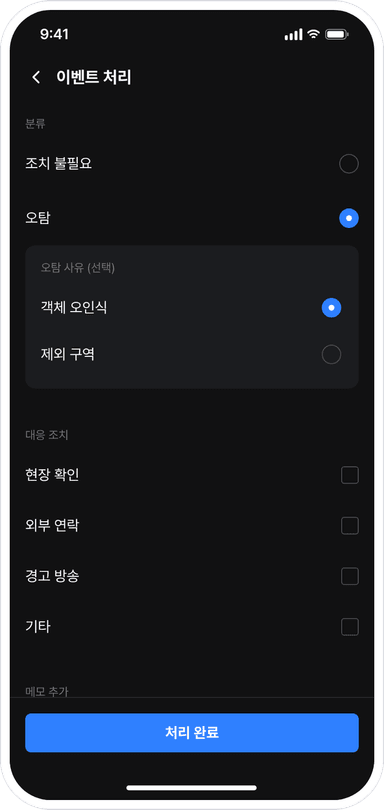
Step 2 is optional and requires an internet connection. Screens and verdict text are examples for illustration.
 CAM 01CAM 02CAM 03CAM 04CAM 05Fall detected
 CAM 06
Factory case study
After trying fall detection, a food manufacturer asked to connect the rest of its cameras.
01
Start
Began with fall detection
02
Expand
To every camera in the plant
03
Next
Talks for other plants
The customer's name is withheld at their request.
Free · 1 minute
Just choose your camera count and the risks you're concerned about. We'll show the right setup right away, and you can request a free site check with that setup.
How many cameras do you have?
Factory FAQ
Alerts go out only after three filters: zone rules, scene-context AI, and on-site verdict learning. False alarms get focused tuning in the first month after rollout.
We quote based on your camera count and setup. Because you keep your existing cameras and recorders, there's no replacement cost. It's offered on-premises, installed on your servers, and a cloud subscription plan is in preparation.
Video is analyzed continuously, but alerts are triggered only by risk situations defined in advance. Normal work doesn't trigger alerts, and the detection items and zones for each area are shared with your site before rollout.
Real-time analysis and recording run on devices inside your network. Event data and the related video clips are sent outside only when you use mobile alerts, scene-context AI rechecks, or site-specific learning.
You can mark a new target on your own camera video, add it with a name or example images, and apply it right away. The learning feature requires an internet connection.
Our own call center responds remotely first, 24/7, 365 days a year (1661-6806), and a dedicated regional manager looks after each area's sites. When needed, our customer support and development teams visit to fix the issue.
There's still time to decide after you see the results.