
Subscription plans coming soon
Cloud
Use it right away in a web browser and mobile app, with nothing to install.
Manage multiple sites remotelyAccess directly via web browser · mobile app
With nothing to install, see device status and events from many sites in a web browser, and get alerts in the mobile app. For closed networks, the same features are installed on-premises.
 The same alert in the Link app
 Link · now
Nothing to install
Open a web browser and
see every site in one place
Phone alerts
Even when you're away,
from alert to action record
Closed networks
No outside internet?
Install it on your own server
Central management
Status and events sent by VUNex AI · VMS at each site come together on one web screen. On monitoring room PCs, the same information is shown in VUNex ONE.
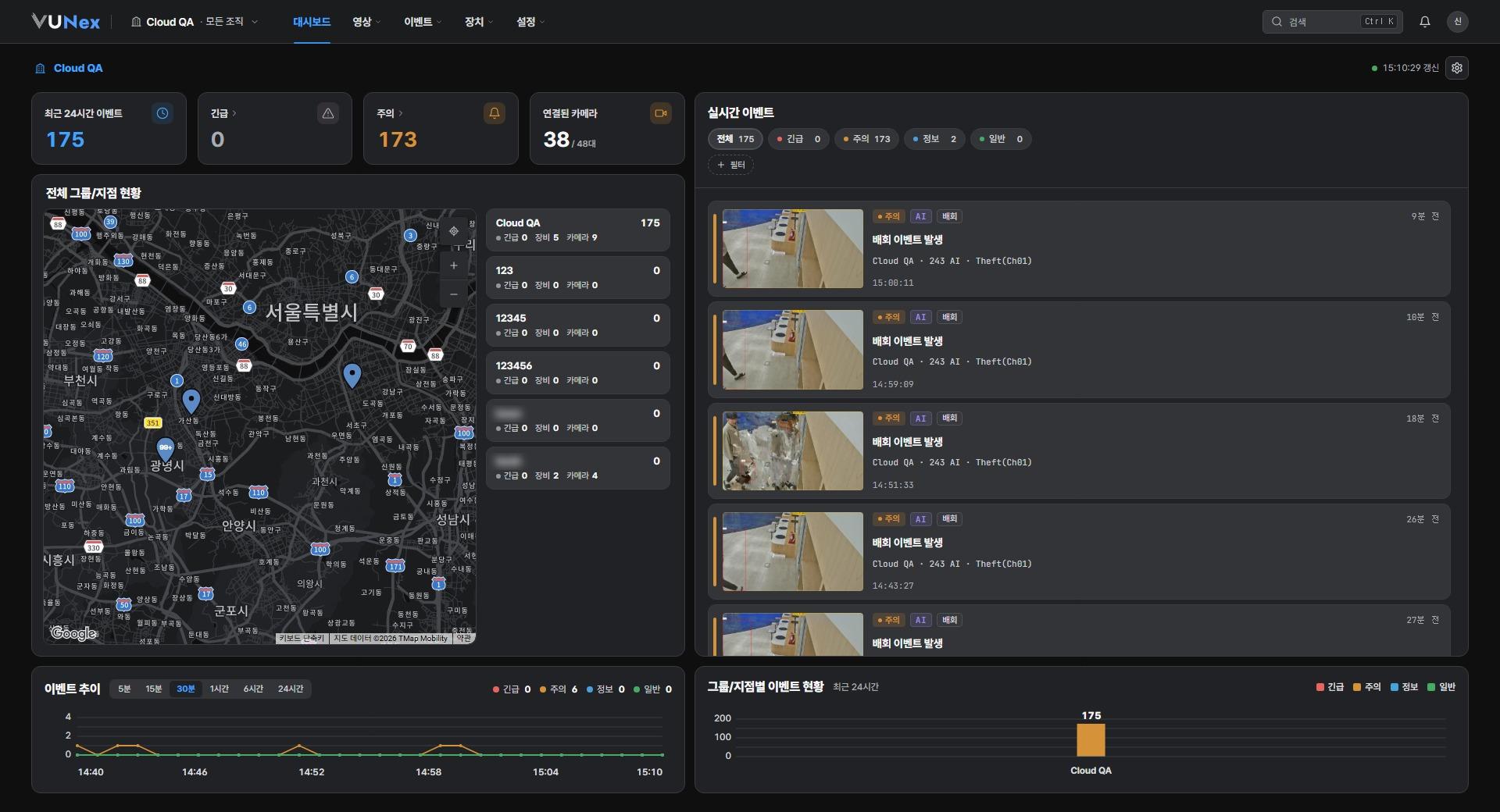
See the operating and network status of site devices as numbers at a glance.
Check the location and status of each site on a map.
Event alerts from all your sites gathered in a single list.
Screens show the actual product under development. Numbered markers are for illustration.
Link mobile app
Whether on site or on the move, staff get the alert at the same moment and record the action right there.
Instantly know what was detected, at which site and on which camera.
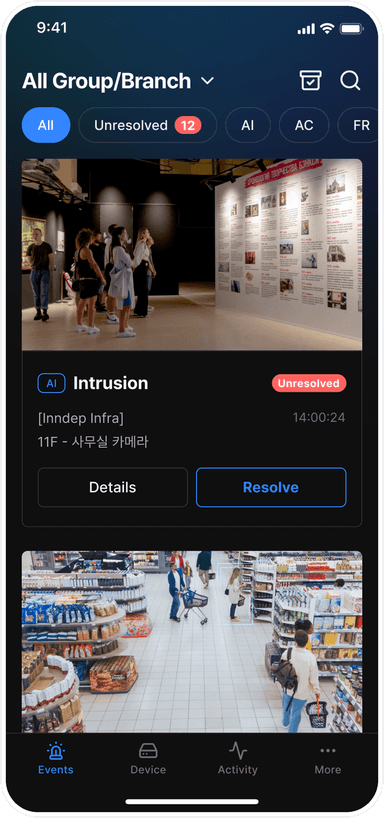 Link · now
Open the alert to see recorded video from before and after the detection.
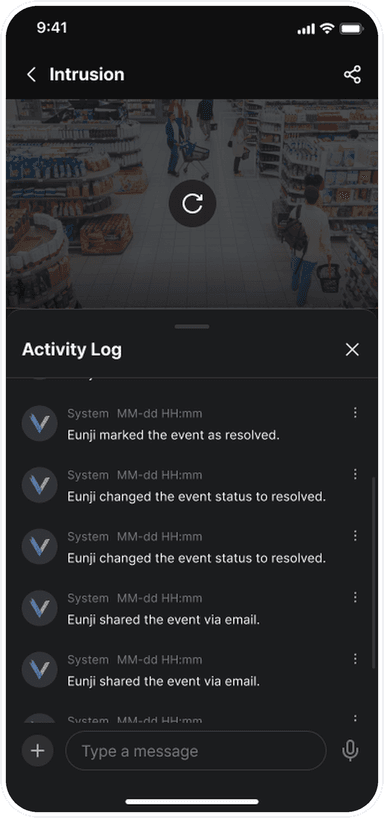
Record what was done and share it with other staff. True / false alarm decisions feed into VUNex AI's false alarm learning.
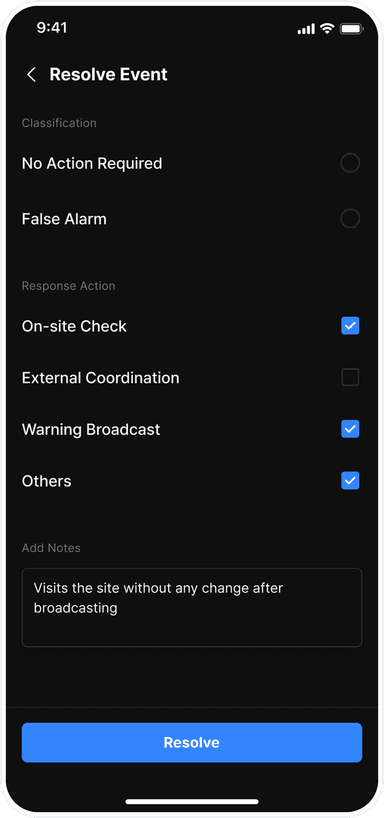
App screens are examples. Mobile alerts require an outside internet connection.
Deployment · Specs
Same features. The only difference is where it runs.
Use it right away in a web browser and mobile app, with nothing to install.
The same features as the cloud, installed on your own server.
Subscription plans are in preparation. The exact setup is decided based on the site check.
VUNex Cloud FAQ
VUNex CMS is an integrated monitoring suite that combines the monitoring PC program (VUNex ONE), the web (Cloud) and the mobile app (Link). VUNex Cloud is the subscription service within it that you use in a web browser and on your phone with nothing to install. To display live video in a monitoring room, you use VUNex ONE alongside it.
Yes. The same features are provided on-premises, installed on your own server. Features that need an outside connection, such as phone alerts, are decided together during the site check based on your environment.
When you open an alert, you can check a site snapshot and recorded video from before and after the detection, and record the action right there.
Subscription plans are in preparation. For on-premises, we provide a quote based on site size and configuration.
We first check the cameras and network at each of your sites, free of charge.