 Open hours
Suspected theftFallsRestricted area access
Add AI to the store CCTV you already use, and get alerted the moment intrusion, fire, falls, or suspected theft happens.
 After-hours intrusion
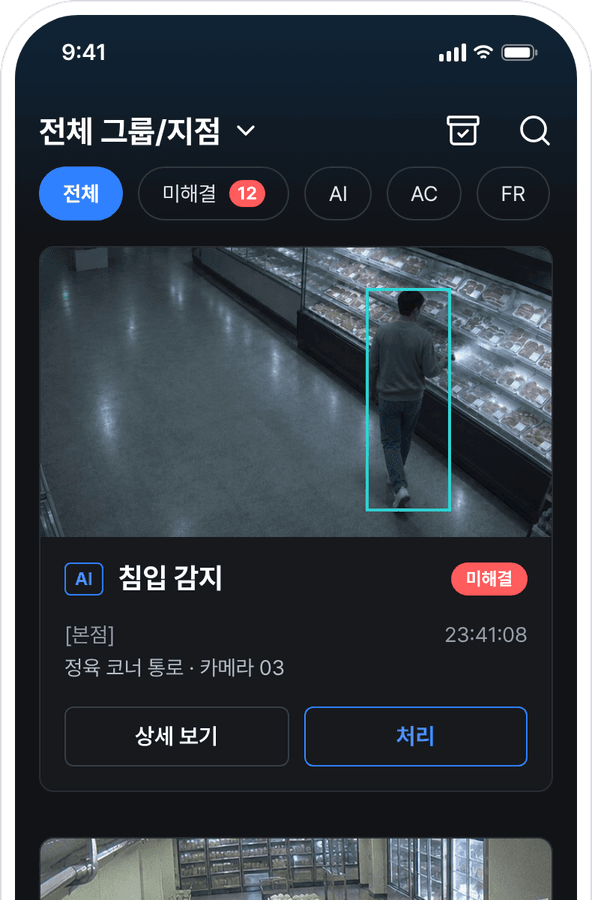
Open hours
AI watches for suspected theft
you had no time to catch
After closing
Catches intrusion in an empty
store right away
In the moment
Alerts go to the manager's Link app
with the scene attached
Detection by time of day
Turn on only the detection each time slot and zone needs.
Open hours After closing
Store case study
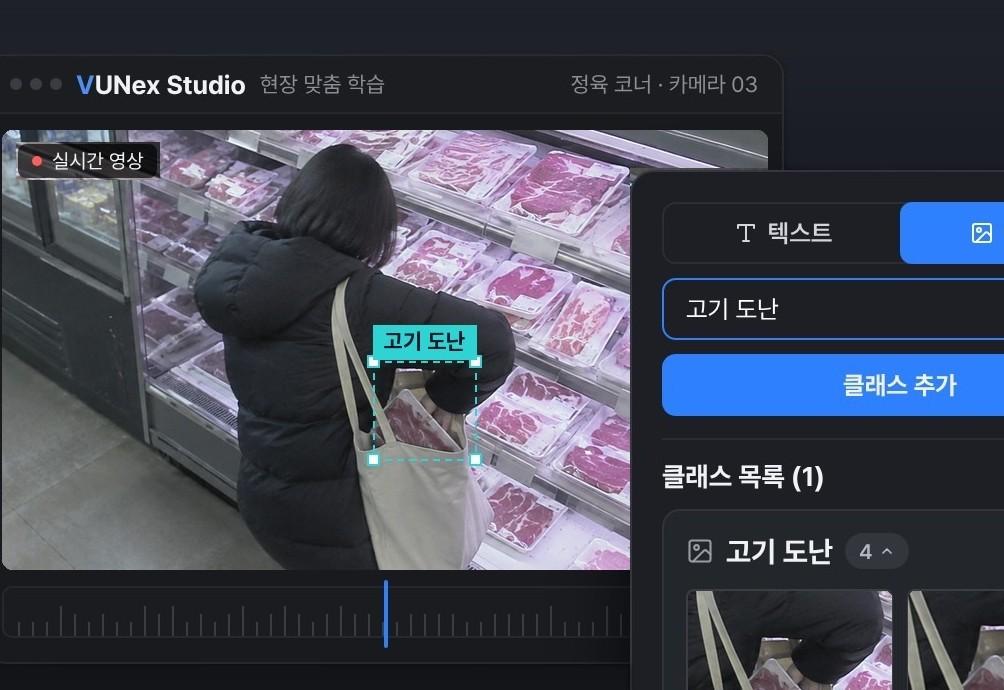
A local supermarket marked meat theft in its store video, added it as a new detection, and runs it alongside fire and fall detection.
01
Mark in video
On your store camera video
02
Add by example
With just a name or example images
03
Apply to cameras
Right away with no extra development
The customer's name is withheld at their request. The learning feature requires an internet connection.
Response in the moment
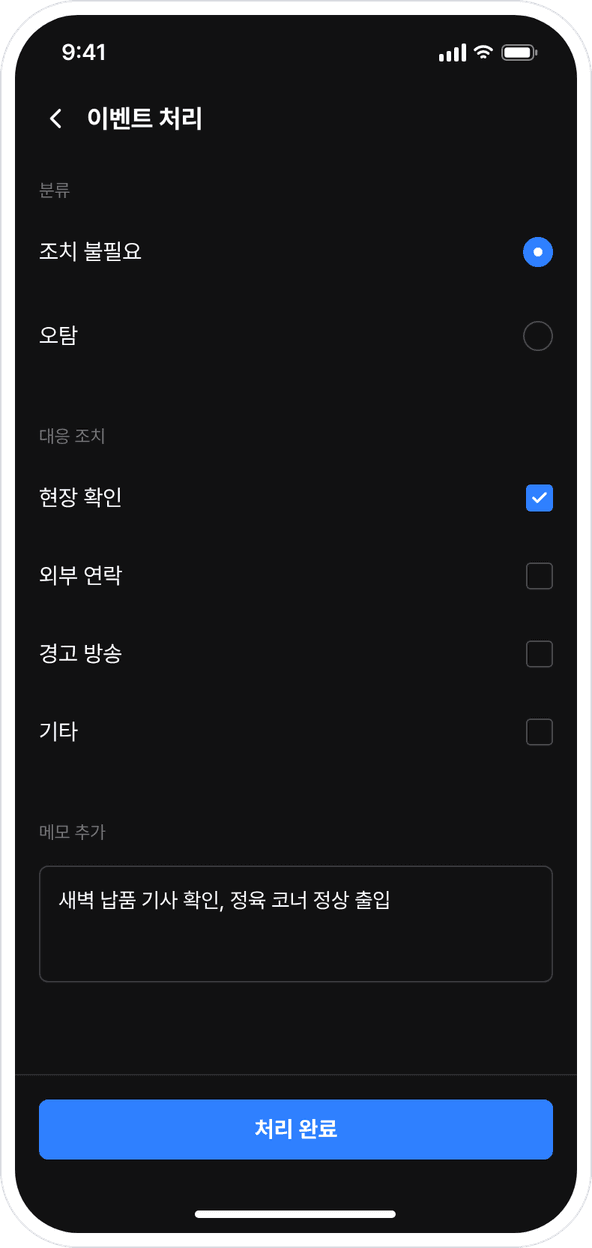
From the moment an alert arrives to the action record and next-day report, it all runs in one Link app.
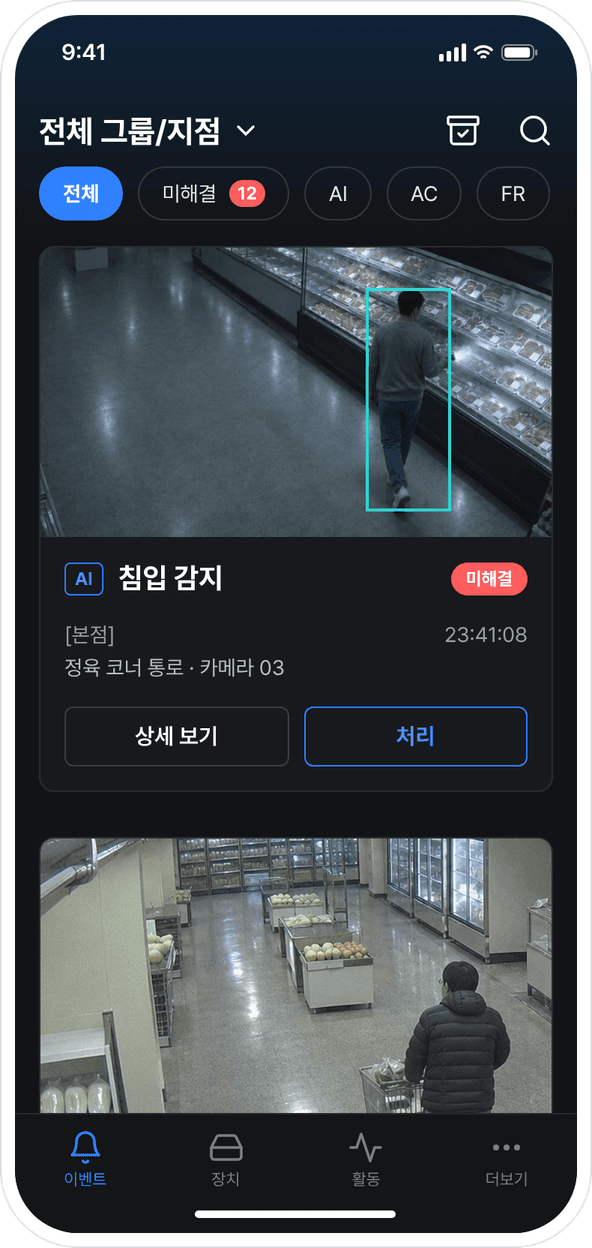
 Link · now
Arrives in the Link app right away with the detected scene.
View live video and, if needed, warn through the store speakers.
Verdicts and actions build up in the history and are shared in the next-day report.
Times are examples to illustrate the flow. Beacons and IP speakers are installed separately. Link app alerts and report sharing require an internet connection. App screens are examples.
False alarm filtering
Too many alerts and people end up switching them off. We filter three times before alerting.
Intrusion detection is off during business and delivery hours, and zones where flames are normal, like cooking stations, are left out of fire detection.
It reads the whole scene and checks again, so light without signs of smoke or a heat source isn't treated as fire.
False alarms marked by staff feed the learning, and false alarms get focused tuning in the first month after rollout.
Step 2 is optional and requires an internet connection. The settings screen is an example for illustration.
Free · 1 minute
Just choose your store's camera count and the risks you're concerned about. We'll show the right setup right away, and you can request a free site check with that setup.
How many cameras do you have?
Store FAQ
The free site check looks at your cameras and network first, and equipment that passes is connected without replacement. RTSP cameras and the ONVIF standard are supported, and only an AI analytics device is added next to your existing recorder.
Zones and times are set so intrusion detection runs only after closing. Scene-context AI and on-site verdict learning filter once more, and false alarms get focused tuning in the first month after rollout.
Video is analyzed continuously, but alerts are triggered only by risk situations defined in advance. Everyday business and work don't trigger alerts, and the detection items and zones for each area are shared with your site before rollout.
Real-time analysis and recording run on devices inside the store. Event data and the related video clips are sent outside only when you use mobile alerts, remote status management, scene-context AI rechecks, or site-specific learning.
Headquarters can check each store's event status and reports remotely. Remote status management requires an internet connection.
We quote based on your camera count and setup. Because you keep your existing cameras and recorders, there's no replacement cost. It's offered on-premises, installed on your servers, and a cloud subscription plan is in preparation.
Our own call center responds remotely first, 24/7, 365 days a year (1661-6806), and a dedicated regional manager looks after each area's sites. When needed, our customer support and development teams visit to fix the issue.
There's still time to decide after you see the results.