06
FAQ
Common questions while using the dashboard.
What do low / partial / recording fault mean?
Levels are by how much video was missing in a minute. Low under 10%, partial 10–70%, recording fault 70%+. See **Glossary** for loss intervals, max rate, and more.
Shortcut
Open Glossary in the table of contents for levels, loss intervals, and max loss rate.
The screen does not open
It may be the URL, network, or access rights. Contact your administrator with the URL you tried.
Quick checks
1. Double-check the URL
2. Try another browser
3. Confirm you are on the expected network
Search returns no results
The period may be too short, selected cameras may have no loss, or filters may be too narrow.
- Widen the periodIf you selected only one day, try several days and search again.
- Clear camera selectionClear camera/group selections and search again.
- Set loss type to AllLeaving only partial or fault selected can make the list look empty.
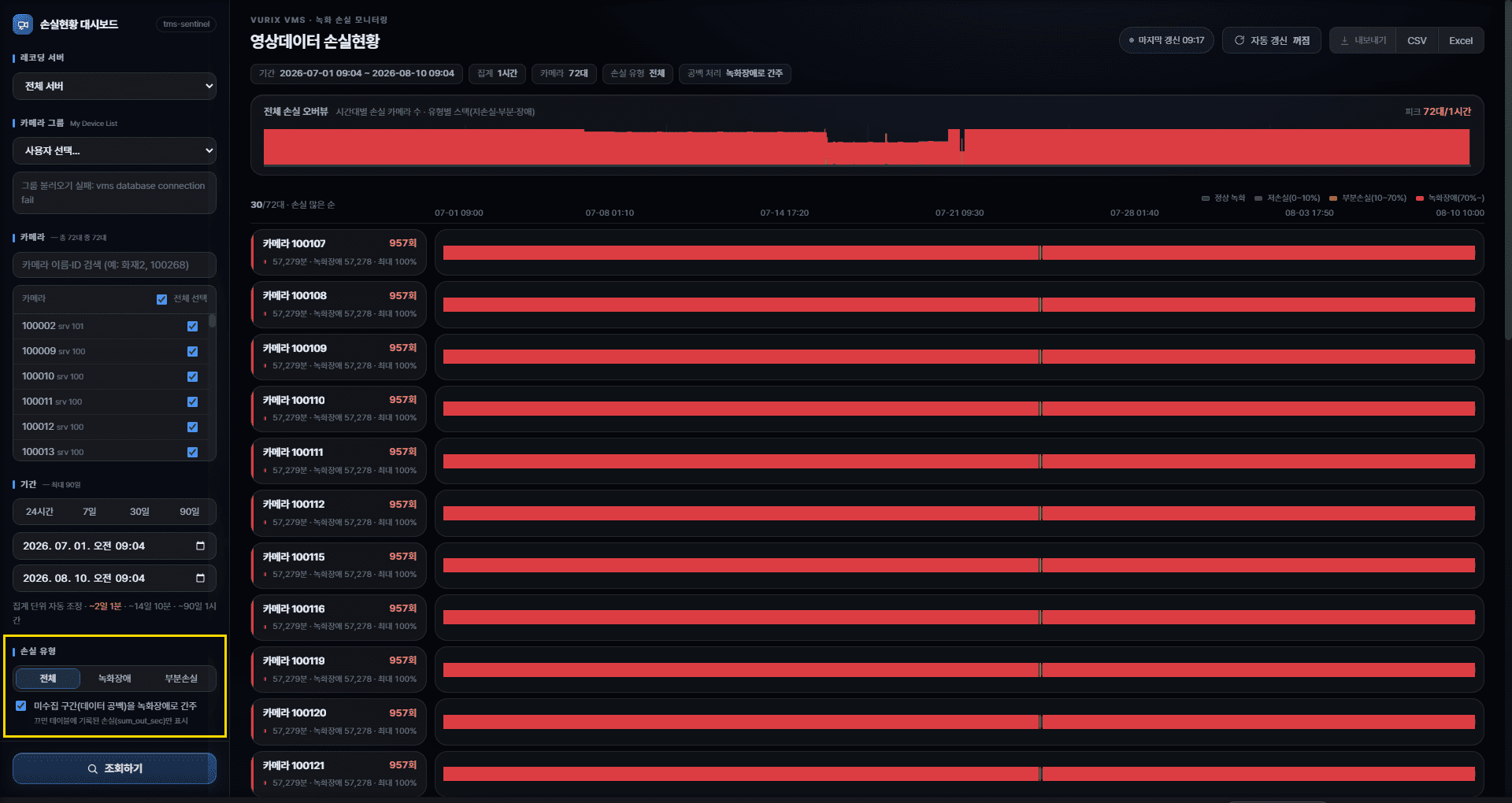
There is too much red
If “include uncollected intervals” is on, more red may appear. Turn it off and search again.
Search is slow
Long periods or many cameras take longer. Split the period or reduce cameras.
Ways to speed up
- Split into shorter periods
- Narrow servers/cameras
- Turn off auto-refresh if it is on
If it still does not work
Send a screen capture plus the period and camera conditions to your administrator.
Helpful info to share
- Screen capture
- Period you searched
- Cameras selected (or “all”)
- Which button/action failed